| |

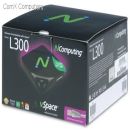
L300 NComputing 1-User
Images are for illustrative purposes and actual product may differ.
L300 Virtual computingncomputing
L300 information and overview
NComputing 1-User Kit with vSpace S/ware and Ethernet-based connection to PC, Device has cable, stereo output, mic input, USB keyboard and mouse, plus 2 x USB 2.0 ports, 1920 x 1080 wide, full motion video, Maximum 31-user (30+ PC) on standard Ethernet network. What is the NComputing L300 virtual client? It allows an addititonal user to share a single computer's hardware and operating system through a network! One PC or server can have up to 30 additional users with their own monitor, keyboard, mouse, speakers, USB devicesm files and applications at a fraction of the cost. When the master PC is updated (hardware or software), all the clients benefit. The best part? It is very green, the power consumption is less than 5Watts per client!
Not for sale. This is a discontinued product.
Kindly search for an alternative on our site
Subject to correction, the product was first added on 2012-09-07 and the last date we have for this product is 2023-12-06, where the last unit was sold for R 2850, which may have been a final clearance price.
Specifications & more information about L300, Virtual computing manufactured by ncomputing
Product information notice: Some specifications may describe a broader product range and may not apply to this exact model. Use the product summary above as the primary model reference. Bundled software may be trial software and can require a separate licence.
Overview:
The NComputing L300 Ethernet Virtual Desktop Kit costs less than half the price of entry-level PCs. And the ongoing savings are even higher. With no moving parts or local storage, repairs are rare and your maintenance costs are kept in check because you only have to maintain and upgrade the shared PCs. In fact, whenever you refresh to the latest PC technology, NComputing L300 Ethernet Virtual Desktop Kit users will automatically enjoy the increased performance.
The small NComputing L300 Ethernet Virtual Desktop Kit (about half the size of a paperback book) consumes less power, generates less heat, produces less e-waste, and makes no noise. Each NComputing L300 Ethernet Virtual Desktop Kit includes an access device, power supply/cord, NComputing vSpace software CD/license, software installation & user guide, Quick Install Guide, and VESA-compliant monitor mounting bracket. PC, monitor, keyboard, mouse, speakers, microphone, and other peripherals are NOT included and must be purchased separately.
Features: - Full Screen Video
- High availability login
- Rapid deployment tools
- 24-bit color depth
- Microphone port
- 1920x1080 resolution
- 1440x900 resolution
- Speaker output
- Mounting bracket
- Low power (3-5W)
- USB peripheral ports
- Keyboard/mouse ports
Specifications: | © 2026 Respective owners and brand holders. This table has been carefully researched and generated by ComXpert International CC (//www.comx-computers.co.za), however, errors and omissions may occur. Only references to South Africa apply. All products are sourced in South Africa from the official suppliers and the warranty is that of the local supplier. E&OE. This table and our site's content may be used on condition that this notice and link remains intact and unaltered. | Specifications for the product series | | Product Code | L300 | | Size | Width: 115 mm / 4.5 inches, Depth: 115 mm / 4.5 inches, Height: 30 mm / 1.2 inches | | Weight | 154 g / 0.34 lbs. Shipping weight (includes power adapter, packaging, documentation, etc.): 0.77 kg / 1.7 lbs | | Power supply | 12VDC power supply included (110/220 auto-switching) | | Power consumption | 5W (independent of external USB devices) | | LED indicators | Power, network link, and network activity | | Monitor | power-save mode Supports power-saving mode with VESA-compliant monitors | | Networking | 10/100 Mbps Switched Ethernet | | Audio | 12 bit stereo audio input / output via 3.5mm stereo jacks | | Internal hardware | All solid-state design. No moving parts, no fans, no local user storage. NComputing Numo System-on-Chip with embedded NComputing operating firmware (no local user OS) | | Multimedia support | Hardware-accelerated 2D graphics, hardware-accelerated video support for most media formats on stand-alone media player applications and browser-based video | | Data security | No local data storage on device. USB data access controlled by user or device policy | | Reliability (MTBF) | >100, 000 hours (calculated using Bellcore Issue 6 TR-332, Case 2, Part I at 40° C) | | Certifications | FCC Class B, CE, KCC, RoHS | | Environmental | 0 to 40 degrees Celsius, 10 to 85% relative humidity, (non-condensing) No moving parts permits use in high dust / particulate / vibration environments |
Benefits: - Power consumption is less than 5W per additional user
- Any Hardware upgeade benefits all clients
- An Operating system update is only required once for all users
- Backups are quick and easy since data is stored on one PC
- Moving a user is quick and easy, simply unlpug a network and move the user, even on different aread of a building
- Lower maintanance costs
Similar Virtual computing
There are no similar products in this category.
Reviews about L300 NComputing 1-User
There are 2 reviews. ★★★★★L300 home2012-09-10 17:33:12 I use the L300 for home. It is great for Internet sharing and Word document sharing without buying another computer, operating system and Office.
The browsing experience is improved if you disable browser performance options.
The latest software and firmware offers a modern interface and new client features and options.
A drop down menu allows users to select the connection speed (slow connection or fast connection). ★★★★★NComputing L300 virtual thinkclient2012-09-10 16:01:43 As a thin client, the N-Computing L300 virtual computer is perfectly useable. The L300 is easy to set up, but some computer experience (or knowledge to follow instructions) is required!
NComputing website has an excellent resource knowledge database.
I set an NComputing on a Windows XP 32 bit machine, it worked over a wireless connection (hub). Microsoft office was shared but kept requesting an installation disk, even though it worked.
I then moved the L300 to a Windows 7 64 bit laptop and the experience was better and Microsoft Office worked perfectly without a problem since the installation files were on the laptop already.
Connecting the L300 thin client through a network and dropping the wireless did speed the experience up.
Screen updates through the thin client is much slower than on a real PC. The L300 does compensate as much as it can, however, I would never use the L300 to stream video it is too slow for video.
Good places to use the L300 is offices, hospitals, offices and schools. Reviews have been submitted by users and do not necessarily reflect our own opinion.

The best price and guaranteed service and backup from official computer suppliers in South Africa for the L300 NComputing 1-User. Available from this online computer store delivering door-to-door in Johannesburg, Cape Town, Port Elizabeth, Pretoria, Pietermaritzburg, Polokwane, Durban and all over South Africa. Find related L300 NComputing 1-User products in our Virtual computing Category for even more options. Read reviews and find out about L300 NComputing 1-User. Discounts, specials and cheap prices only at ComX Computers.
| |







 Up
Up Down
Down


 Mobile store


